Everything you need to deliver a professional accessibility audit.
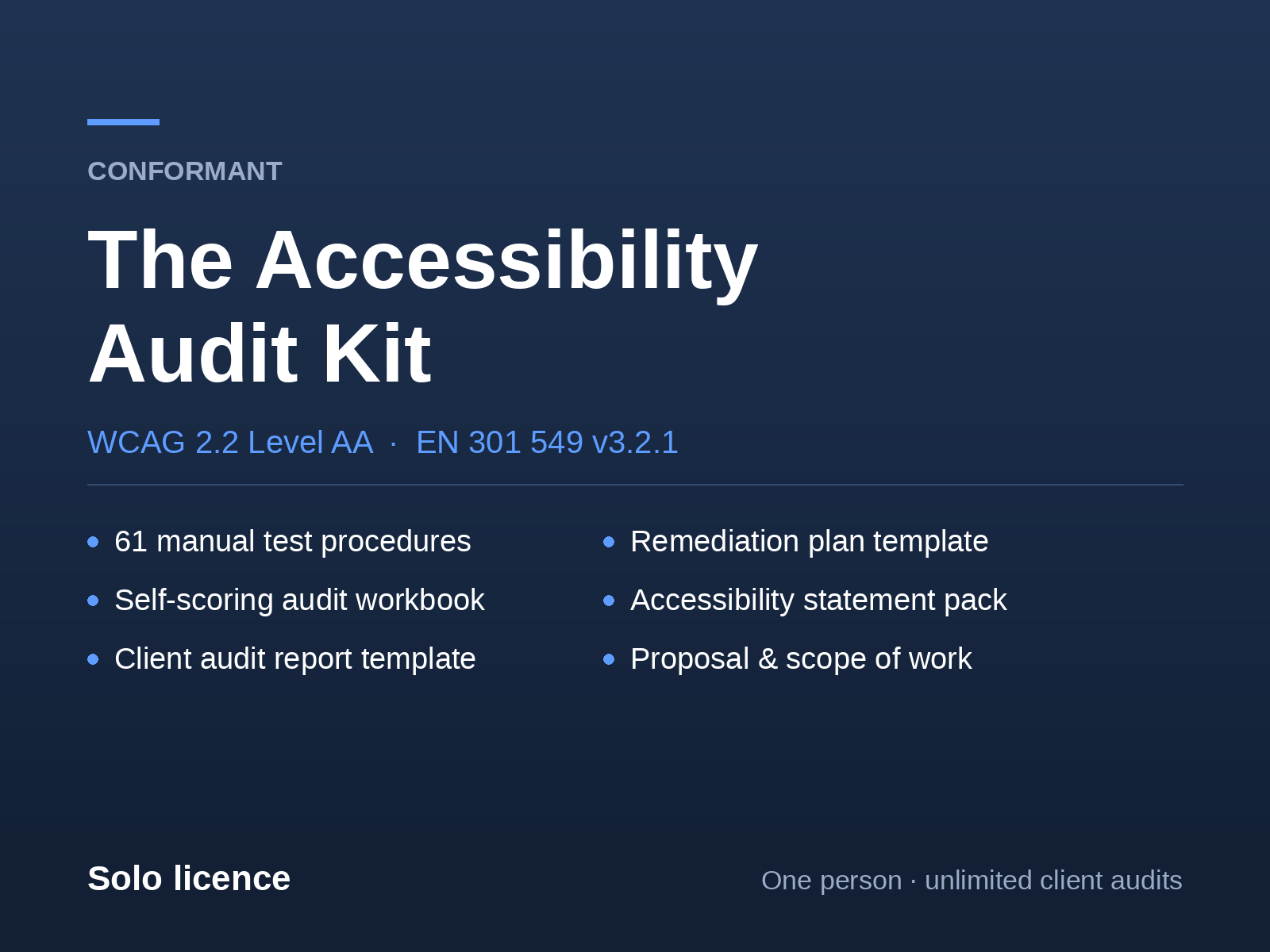
A complete, reusable system for freelancers and small agencies: 61 manual test procedures, a self-scoring workbook, and the client-ready report, proposal, remediation plan and accessibility statement. Run it alongside free tools — no scanner subscription.
- One-time purchase, from $79
- Unlimited client audits
- Rebrand as your own
- 30-day refund
Who it's for
- Freelance developers and designers whose clients have started asking about accessibility, who do not want to say no.
- Small agencies answering a procurement questionnaire, or delivering an audit under their own brand without hiring a specialist.
- In-house developers and PMs who need to assess their own site and would rather not buy an enterprise engagement to find out where they stand.
Not for you if you already audit full time. You have a method, and this will not teach you anything new.
Scanners vs. the human half
They catch the machine-checkable failures — missing alt attributes, missing labels, flat-background contrast. That is a minority of WCAG.
They cannot tell you whether the alt text means anything, whether checkout can be completed with a keyboard, whether “added to cart” is announced to a screen reader, or whether focus returns correctly when a modal closes.
Those are the findings clients pay for. They are also the ones that need a person. This kit is the person's half.
Look inside before you buy
You have never heard of me, and a page full of claims is worth nothing. So here are actual pages from the actual files, and one complete row from the audit workbook, verbatim.
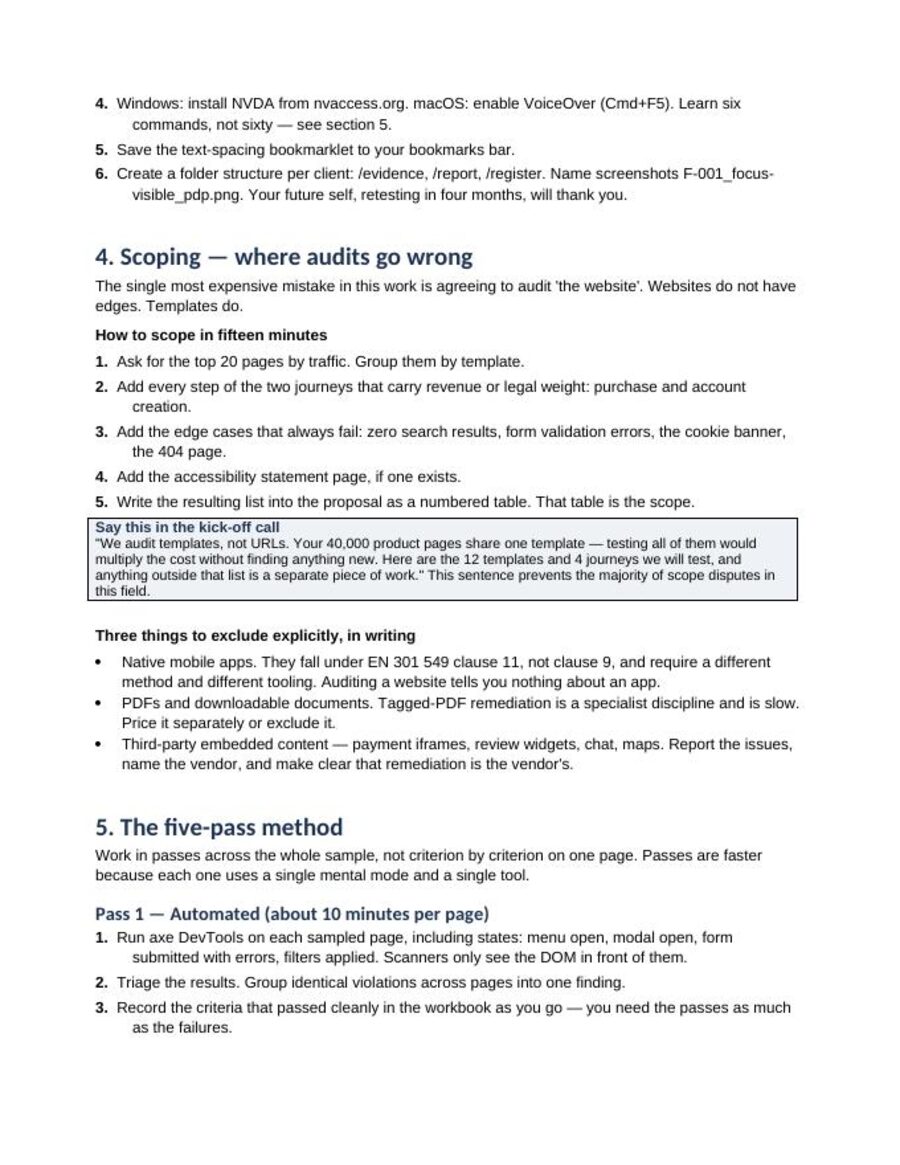
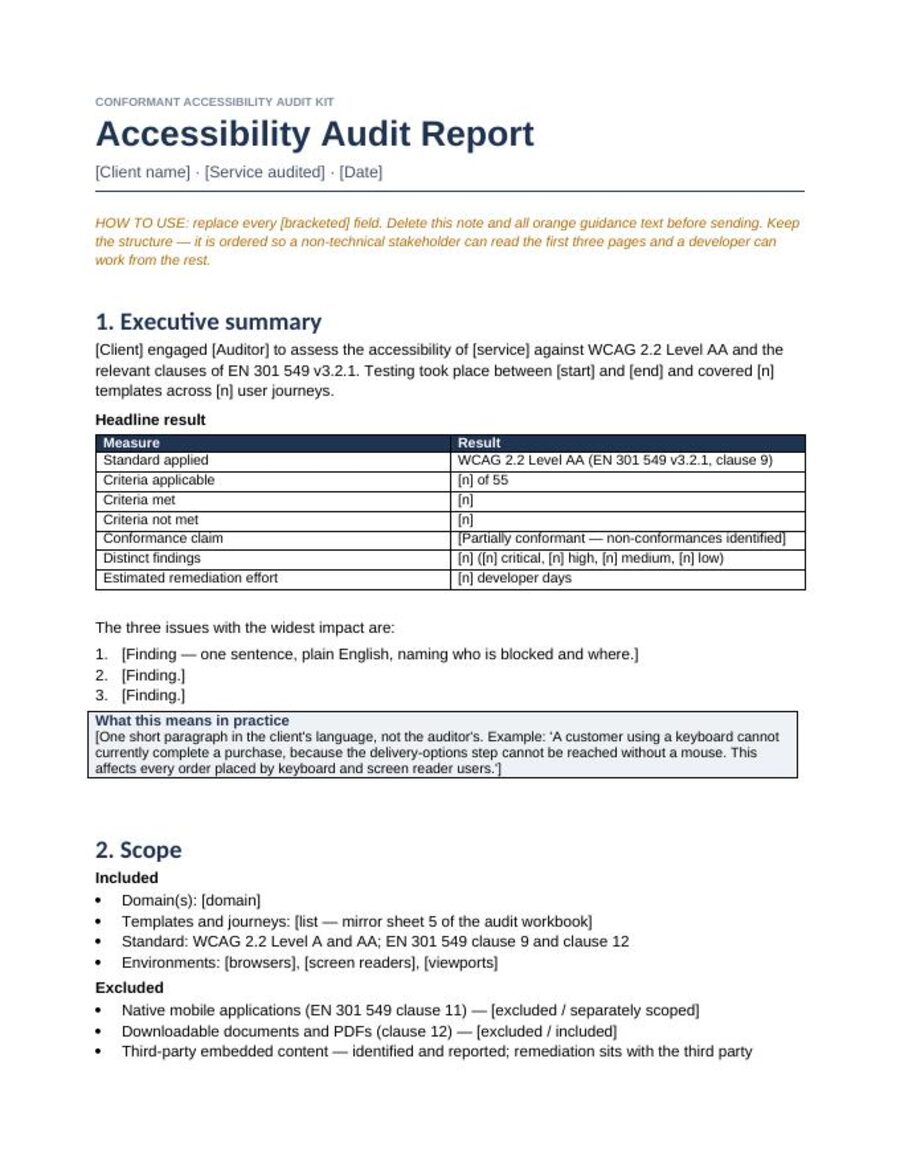
One row from the audit workbook, unedited
There are 61 of these. This is the level of detail throughout — not a checklist of criterion names, but what to actually do.
- What it means
- Status messages are exposed to assistive technology without moving focus.
- How to test it
- 1) Turn on a screen reader. 2) Trigger every status message: added to cart, discount applied, filter results updated, form saved, “X results found”, loading complete, stock warning. 3) Confirm each is announced without focus moving. 4) Check the live region exists in the DOM before the message is inserted — injecting the region and text at the same time usually fails to announce.
- Common failures
- “Added to cart” toast that is silent to a screen reader; filter result count updating
with no announcement;
aria-liveadded at the same moment as the text. - E-commerce note
- Add-to-cart confirmation and filter result counts. Very high impact, almost always failing.
Prefer to judge the writing before paying? The worked example is a real audit of a major retailer using this method — including the four false findings the automated pass produced. It is free and it is the same voice as the kit.
The six files, and what each one is for
Not a folder of documents — a workflow. One file for each stage of an engagement, from the proposal you send to the retest that wins the follow-on work.
Audit Workbook
Your auditing workspace
All 55 WCAG 2.2 A/AA criteria plus 6 EN 301 549 clauses, each with an exact manual test procedure. Six sheets, a self-calculating conformance dashboard, and a findings register with priority scoring.
.xlsx
Client Audit Report
Your client-facing deliverable
Executive summary a non-technical stakeholder can read, a method section that justifies your fee, structured finding blocks, and a conformance statement.
.docx
Remediation Plan
Your follow-on engagement
Prioritisation model, seven systemic fix patterns, and the retest protocol — the document that turns one audit into a second invoice.
.docx
Accessibility Statement Pack
What the client publishes
Two publish-ready statements (EAA service provider, and general WCAG), plus a drafting guide of the phrases that get organisations into trouble.
.docx
Proposal & Scope of Work
Your sales document
Three-tier pricing structure, the scope table, and the exclusions that stop an audit becoming unpaid consultancy.
.docx
The Auditor's Field Guide
Your method
The five-pass audit, a six-command screen reader crash course, how to write a finding that gets fixed, what you may and may not claim, and how to package and price the work.
.pdf + .docx
Against the alternatives
| Option | What you get | Cost |
|---|---|---|
| Free scanner | Machine-detectable violations. No method, no deliverable, no judgement. | $0 |
| White-label scanner platform | A branded PDF of essentially the same automated output, per seat. | Recurring, often several hundred a month |
| Subcontract a specialist | A real audit, on their timeline and their margin. | Per engagement |
| Conformant | The manual method plus every client-facing document, so the audit is yours. | One-time |
Pricing
Solo licence
$79 $99
One person. Unlimited client audits.
- All six files
- Use on unlimited client engagements
- Rebrand deliverables as your own
- Free updates for 12 months
Studio licence
$199 $249
Up to 5 people in one company.
- Everything in Solo
- Team use, up to five seats
- White-label rights for client deliverables
- Free updates for 12 months
Secure checkout by Lemon Squeezy. Card or PayPal, VAT handled automatically, instant download the moment payment clears. Questions before you buy? Email conformant.kit@gmail.com and a person will answer.
What the licence actually lets you do
| Solo | Studio | |
|---|---|---|
| People who may use it | 1 | Up to 5 in one company |
| Client audits you may run | Unlimited | Unlimited |
| Put your logo on the deliverables | Yes | Yes |
| White-label rights for client work | Yes | Yes, across the team |
| Free updates | 12 months | 12 months |
| Resell or redistribute the kit | No | No |
One audit priced at even the low end of the market covers the licence many times over, and there is no per-audit or per-seat fee after that — which is the whole reason this is a purchase rather than a subscription.
Launch price applies to the first 50 purchases, then it goes up and stays up.
Honest limits
- This is a methodology and a document set. It is not software and it scans nothing — you pair it with free tools (axe DevTools, NVDA or VoiceOver, a contrast analyser).
- It will not make you an accessibility specialist. It lets a competent web professional run a structured, defensible audit and write it up properly.
- It is not legal advice. No product can certify compliance with the EAA, the ADA or any other law, and anything claiming to is misleading you.
- Covers web content (EN 301 549 clause 9) plus documentation and support (clause 12). Native mobile apps (clause 11) are out of scope and flagged as such throughout.
Judge it on the free work
Conformant is built and maintained by one person, independently. You will not find manufactured testimonials or a fake client logo wall here, because the kit itself tells auditors never to claim more than they can evidence, and that rule applies to me first.
So there is a better way to decide than trusting a stranger — read the worked example, read the pricing guide, and use the free EAA scope checker. All three are the same work, in the same voice, given away. If they are not useful, do not buy the kit.
And the 30-day refund is unconditional: email and it is done, no form, no questions. That is the point of offering it.
Questions
Do I need to know accessibility already?
No, but you need to be comfortable with HTML, CSS and browser DevTools. Every test is written as steps rather than theory, and the screen reader section teaches six commands rather than the whole tool.
Does this replace axe, WAVE or Lighthouse?
No, and it is not trying to. Those tools do the automated pass well and they are free — keep using them. This kit covers the manual half they structurally cannot reach: keyboard operation, screen reader behaviour, focus management, status messages, contrast over imagery, and turning all of it into a deliverable. The two are complementary, and the workbook tells you for every criterion how much of it a scanner can actually do.
How long does an audit actually take with this?
For a five-template site, budget two to three days for your first one, less once the method is familiar. The field guide breaks the time down pass by pass so you can price against real numbers.
Can I put my own logo on the deliverables?
Yes. The report, remediation plan, statement and proposal are designed to be rebranded and sent to your clients. That is the point of them.
Is this specific to the European Accessibility Act?
It covers WCAG 2.2 Level AA, the technical baseline almost everywhere, and adds the EN 301 549 clauses that matter for EU work. For US clients the WCAG content is identical; the EAA-specific templates simply will not apply.
What happens when the standards change?
Updates are free for 12 months from purchase and arrive by email at the address you buy with.
Refunds?
Thirty days, no questions, no forms. Email conformant.kit@gmail.com and it is done.